
How to Optimise Search Engine Advertising
Explore our comprehensive technical guides and masterclasses designed to scale traffic, increase conversions, and maximize the return on your Google Ads investments.
Launch Profitable Campaigns
Master the framework for launching high-performance Google Ads from scratch, covering precise audience targeting, smart budgeting, and optimal account architectures.
Boost Website Traffic
Discover how to skyrocket qualified visitors using thematic relevance, keyword expansion, and aggressive impression share tactics that lower your CPCs.
Optimizing Landing Pages
Learn why message match dictates your Quality Score. Build high-converting layouts with frictionless mobile speeds and robust conversion architecture.
Profitable Campaigns Deep-Dive
Go beyond vanity metrics to align ad spending with real revenue, focusing on margin data, bid management protocols, and strict budget protection routines.
Google Display Network Ads
Unlock wide visual reach across millions of websites and apps, combining imagery with robust audience targeting to build powerful brand consideration.
Complete SEA Master Hub
Explore the ultimate foundational guide to Search Engine Advertising—uncovering how to balance display, search, shopping, and video portfolios seamlessly.
Start With an Honest Account Audit
Before changing anything, you need a clear picture of where the account stands. Optimization without an audit is just guessing with extra steps.
Pull Performance Data
Don’t judge campaigns on the last seven days — seasonality, day-of-week effects, and normal fluctuation will mislead you. Look at 90 days minimum, and compare that against the same period last year if the data exists. You’re looking for real trends, not noise.
Segment Performance
Analyze performance across campaign, ad group, and device. A campaign that looks mediocre in aggregate might be excellent on mobile and terrible on desktop, or vice versa. Blended numbers hide the decisions you actually need to make.
Check Structure Against How It Was Built
Many accounts inherited a structure from years ago — often built around single-keyword ad groups, an approach that used to be considered best practice but is no longer how Google’s systems are designed to work. If your account is still fragmented into dozens of narrow ad groups per campaign, that structure is likely working against you rather than for you, because it starves the algorithm of the data volume it needs to optimize effectively. Consolidating into fewer, theme-based ad groups with a healthy mix of related keywords tends to perform better under modern automated bidding. As a rough guide, seven to ten ad groups per campaign, each built around a clear theme rather than a single term, is a more sustainable structure than the hyper-granular setups many accounts were built on a few years ago.
Audit Budget Allocation
Look at where the account is actually spending its money. Pull a simple breakdown of spend by campaign and compare it against conversions and revenue from the same campaigns. It’s common in older accounts to find that a handful of campaigns are quietly absorbing a large share of budget while contributing a small share of results — sometimes because nobody has revisited the original allocation since launch. This isn’t a decision to make yet, but flagging it during the audit means you’ll know where to focus later.
Identify Technical Debt
Note anything that looks like technical debt. Old conversion actions that are still active but no longer relevant, ad extensions (now called assets) that reference discontinued products or expired promotions, or shared budgets that were set up for a reason nobody currently remembers. None of this needs fixing immediately, but writing it down during the audit means it doesn’t get lost once you move into making changes.
Review Optimization Score, But Don’t Treat It As Gospel
Google’s optimization score highlights account-level recommendations, and while some of them are genuinely useful, others are simply nudges toward increasing spend. Evaluate each suggestion on its own merits rather than chasing a higher score for its own sake.
Fix Conversion Tracking Before Anything Else
If there’s one place where existing accounts go wrong, it’s conversion tracking. Everything downstream — automated bidding, budget allocation, audience signals — depends on the quality of the conversion data you’re feeding the system. If that data is wrong, noisy, or poorly prioritized, no amount of bid tweaking will fix the underlying problem.
Primary vs. Secondary Goals
Do you have more than one “primary” conversion action set at the account level? Having multiple account-default primary goals makes it harder for Google’s bidding systems to know what they’re actually optimizing toward. Decide on your core conversion event — a purchase, a qualified lead, a booked call — and mark that as primary. Downgrade softer signals (newsletter sign-ups, PDF downloads, add-to-cart events) to secondary so they inform the account without diluting the primary bidding signal.
Value-Based Tracking
Are you tracking value, not just volume? If you’re running ecommerce or have varying deal sizes, feeding actual revenue or margin data into Google Ads — rather than treating every conversion as equally valuable — lets the system prioritize the customers who are actually worth acquiring, not just the cheapest ones to convert.
Enhanced Conversions Setup
Have you set up enhanced conversions? Enhanced conversions improve match rates by securely sending hashed first-party data back to Google, which becomes increasingly important as third-party tracking continues to erode. An account that hasn’t revisited its conversion setup in the last year is very likely leaving accuracy on the table.
Micro-Engagement Signals
Are lighter engagement signals being captured at all? For longer sales cycles, a single hard conversion event often isn’t enough data for Smart Bidding to learn from quickly. Layering in secondary, lighter-weight signals along the path to purchase gives the algorithm more to work with, even if those events aren’t your primary KPI.
Reassess Your Bidding Strategy
This is usually where the biggest gains — or the biggest existing mistakes — are found in a mature account.
Question Manual CPC
If you’re still running manual CPC, it’s worth seriously questioning why. Manual bidding can no longer see or react to the signals automated systems use — device context, time of day, competitive dynamics, real-time conversion likelihood. Automated bidding strategies process far more signal than a human adjusting bids once a day ever could. There are still edge cases where manual control makes sense (very low conversion volume, highly unusual business models), but for most established accounts with reasonable conversion history, moving to automated bidding is the higher-leverage decision.
Match Goal, Not Default
Match the bidding strategy to your actual goal, not the default. A common mistake in older accounts is running everything on Maximize Clicks or a flat Target CPA that was set once and never revisited. If revenue — not just conversion count — is what actually matters to the business, Target ROAS or Maximize Conversion Value will generally outperform a pure CPA target, because a CPA-only goal pushes the algorithm toward the cheapest conversions available, not the most valuable ones.
Room to Learn Before Judging
Give new bidding strategies room to learn before judging them. Switching strategies resets the learning phase, and performance often dips for one to two weeks before stabilizing. A common approach when moving an account onto Smart Bidding for the first time is to start with Maximize Conversions with no target, let it gather two to four weeks of live data, and only then layer in a Target CPA or Target ROAS informed by what actually happened — rather than guessing at a target on day one.
Don’t Panic-Adjust Bids Daily
One of the most common ways advertisers sabotage an otherwise healthy automated strategy is making frequent manual interventions — pausing keywords, adjusting targets, or tweaking budgets based on single-day fluctuations. Automated systems need a stable, consistent signal to optimize against. Constant tinkering resets their learning and makes performance worse, not better. Review and adjust on a weekly or bi-weekly cadence, based on patterns over time rather than daily noise.
Clean Up What’s No Longer Earning Its Place
Every account that’s been live for a while accumulates dead weight. Part of optimization is simply removing what isn’t working.
Redundant Keywords
Look for keywords that overlap closely with another keyword in the same ad group and bidding strategy, where one consistently outperforms the other. Consolidate rather than letting them compete against each other for the same auction.
Non-Serving Keywords
Keywords with low Quality Scores or overly narrow match types sometimes stop serving impressions altogether. They still clutter the account and make performance harder to read.
Search Terms That Don’t Match Intent
Regularly review the search terms report (or Insights, depending on campaign type) to catch queries that are technically matching your keywords but clearly aren’t the audience you want. Add these as negative keywords before they burn more budget.
Underperforming Ad Creative
If you’re running responsive search ads, check which assets Google is labeling as “Low” performance and swap them out. Stale ad copy — especially anything referencing outdated offers, pricing, or seasonal messaging — should be refreshed regularly.
Audiences and Placements That Never Converted
For Display or Performance Max campaigns, review placement reports where available and exclude any that are consistently burning spend with nothing to show for it.
Strengthen the Signals You’re Feeding the Algorithm
Modern Google Ads — particularly Performance Max and Smart Bidding more broadly — behaves less like a set of dials you turn and more like a system you guide with better inputs. The advertisers getting the most out of automation aren’t fighting it with manual overrides; they’re feeding it cleaner, more specific signals.
Use First-Party Data Wherever You Can
Customer Match lists built from your CRM or email list give Google a much stronger starting point for finding similar prospects than relying purely on its own inference. If you haven’t uploaded or refreshed a customer list in a while, this is one of the highest-leverage, lowest-effort updates you can make to an existing account.
Add Audience Signals to Performance Max
Even though they’re not hard targeting. Performance Max ignores explicit exclusions in the way Search campaigns do, but audience signals still meaningfully help the system understand where to start looking. An account running Performance Max with no audience signals at all is giving the algorithm less to work with than it needs.
Segment by Margin Where Relevant
Segment Performance Max by product or service margin where relevant. For ecommerce accounts especially, grouping campaigns so the algorithm isn’t blending high-margin and low-margin products into the same bidding pool tends to produce more profitable outcomes than one undifferentiated campaign.
Keep Landing Pages Aligned With Ad Intent
This is easy to overlook once campaigns are “set and running,” but landing page relevance still directly affects Quality Score and conversion rate. If your product pages, pricing, or offers have changed since the ads were written, the landing experience needs to be checked against what the ad copy is actually promising.
Rebuild Your Reporting Cadence
An account can only be as well-optimized as the reporting behind it is clear. If you’re relying on logging into the interface periodically and eyeballing numbers, you’re going to miss trends and overreact to noise.
Set a Fixed Review Cadence
Weekly for tactical checks (search terms, budget pacing, ad approval issues), monthly for strategic ones (bidding strategy performance, structural changes, seasonal planning).
Build an Automated Dashboard
Build a dashboard, even a simple one, that pulls key metrics automatically rather than requiring manual export every time. This makes it far easier to spot patterns over a rolling window instead of reacting to any single day’s numbers.
Separate Diagnose from Report
Separate the “diagnose” metrics from the “report” metrics. Leadership usually wants to see cost, conversions, and ROAS. Optimization decisions usually require deeper metrics — impression share, search lost IS due to budget vs. rank, CPA by device and audience segment. Keep both, but don’t confuse them.
Document Changes as You Make Them
When you switch a bidding strategy, restructure a campaign, or change a budget significantly, note the date. Without this, it’s nearly impossible to correctly attribute a later performance shift to the right cause.
Revisit Budget Allocation, Not Just Bids
Optimization conversations tend to focus heavily on bidding strategy and creative, but budget allocation across campaigns is just as important — and it’s often left untouched for far too long in mature accounts.
Analyze Impression Share Lost to Budget
Look at impression share lost to budget across your top campaigns. A high-performing campaign that’s regularly losing impression share because it’s hitting its daily budget cap is a signal that reallocating spend from a weaker campaign could produce more total conversions at a similar or better blended CPA. This kind of shift is often more impactful than a bid adjustment, because it directs money toward what’s already proven to work rather than trying to squeeze marginal gains out of a struggling campaign.
Unlock Structurally Under-Budgeted Campaigns
Similarly, check for campaigns that are structurally under-budgeted relative to their potential — new campaigns that were given a conservative test budget and never revisited once they proved themselves, for instance. Reallocating budget on a regular basis, not just setting it once, is part of what keeps an established account performing well over time.
Switching from Google Ads to Bing Ads: Good Idea?
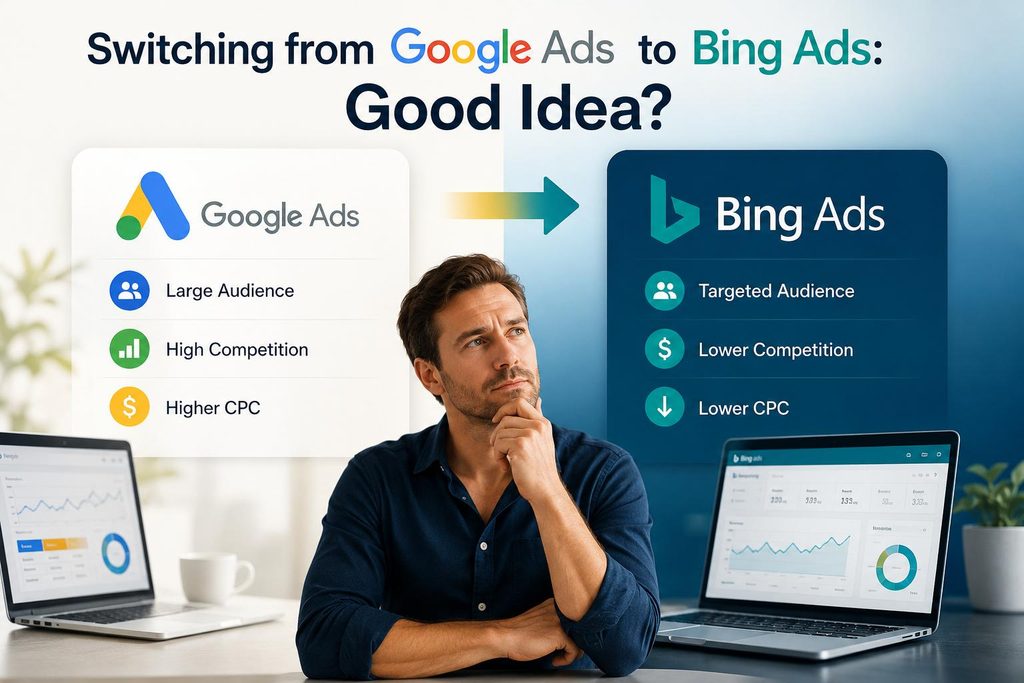
Treating Microsoft Advertising (Bing Ads) as a “fallback” when Google Ads stops working is a common misconception. In reality, platform failure is rarely the issue—underlying fundamentals usually are.
The “Broken Platform” Fallacy
Google Ads rarely stops working on its own. If an account fails, it’s usually due to broken tracking, exhausted search volume, poor offer-market fit, or flawed automated bidding constraints—issues that will simply follow you over to Microsoft Ads.
Scale and Volume Discrepancy
Microsoft Advertising commands a much smaller market share than Google. While it offers cheaper CPCs and an older, often higher-income demographic, it cannot replace Google’s volume for most scaling brands—it can only supplement it.
Use Bing as an Expansion Channel, Not an Escape Hatch
Instead of migrating away from Google when performance dips, fix your core tracking, creative assets, and bidding architecture first. Once Google Ads is dialed in and profitable, import your proven campaigns directly into Microsoft Advertising to capture high-intent incremental volume cleanly and efficiently.
Put It Together: A Practical Optimization Cycle
Rather than treating optimization as a one-time cleanup project, the accounts that perform best over the long run treat it as an ongoing cycle:
Audit Performance Data
Analyze performance data across a meaningful time window and check account structure against current best practice.
Fix Conversion Tracking
Establish proper tracking setup — balancing primary vs. secondary goals, value data, and enhanced conversions.
Reassess Bidding Strategy
Align bidding structures against actual business goals, giving changes sufficient time to stabilize before judging them.
Clean Up Dead Weight
Remove dead keywords, weak ad creative, and irrelevant search terms or dead-end placements.
Strengthen Algorithm Signals
Feed the system better inputs through first-party audiences, Performance Max segmentation, and aligned landing pages.
Report on a Fixed Cadence
Establish a structured routine, clearly separating tactical daily/weekly monitoring from strategic high-level reviews.
Reallocate Budget Dynamically
Direct capital toward what’s proven to work across top campaigns, rather than just keeping budgets where they were originally set.
Frequently Asked Questions
Everything you need to know about auditing, structuring, and optimizing your Google Ads account for maximum return.
Let’s Scale Your Growth
Ready to dominate search results and maximize your return on ad spend? Drop us a message and our team will get back to you shortly.

Send Us a Message
Fill out the form below and we’ll schedule a discovery call.